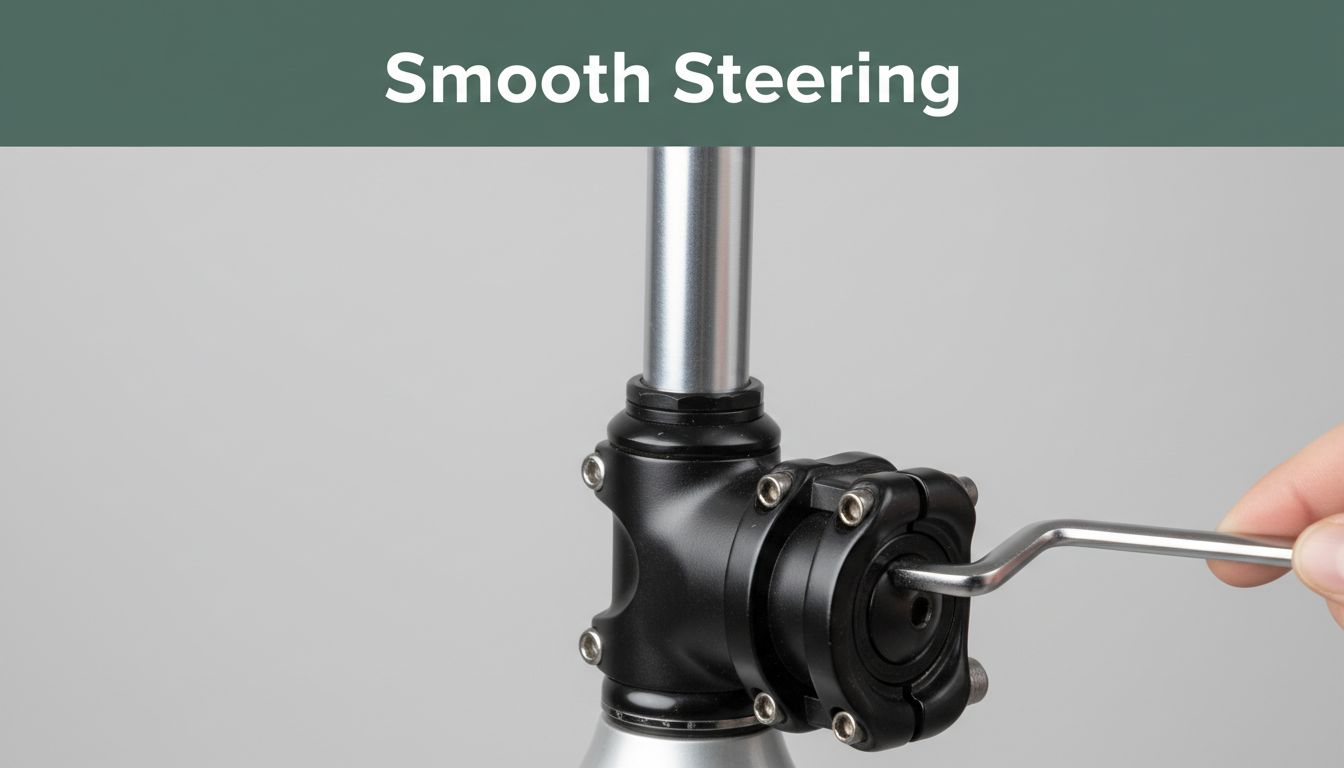
Picture this. You head out on your first long bike ride. Suddenly, clunks echo from the front end. The handlebars wobble. Panic sets in. Is your bike falling apart?
Headset tension keeps your steering smooth and precise. It stops the fork from shifting too much. Stem play adds extra looseness where the stem grips the steerer tube. Ignore these, and you risk crashes or chewed-up parts. Yet fixes take under 30 minutes with basic tools.
This guide covers the basics, tools you need, simple checks, and step-by-step adjustments. You’ll learn to spot issues, tighten things right, and ride safer. No shop visit required. Let’s get your bike feeling solid again.
Bike Basics: Headset Tension vs. Stem Play – Know the Difference
Your bike’s headset is the bearing system that links the fork to the frame. It lets you steer with ease. Tension controls how tight those bearings press together. Too loose, and play creeps in. Think of it like a door hinge. If it’s sloppy, the door bangs around.
Stem play differs. The stem clamps onto the fork’s steerer tube. Looseness here feels like a slipping hose clamp. It shifts the bars without moving the wheel. Proper tension gives responsive handling. It also prevents bearings from grinding away.
For example, on rough trails, loose headset tension makes the front wheel flop during turns. Stem play might let bars twist when you hit bumps. Another case: city riding with potholes amplifies both. Riders often mix them up. Headset affects fork movement. Stem targets bar shift only.
Know this split early. It saves time on fixes. Next, we’ll spot signs for each.
Spot the Warning Signs of Loose Headset Tension
Loose headset tension shows clear clues. First, you hear clunking when you rock the bike front to back. The fork knocks against the frame.
Second, steering flops side to side. Bars move without resistance when straight. Third, turns feel gritty. Bearings scrape as you steer.
Fourth, brakes grab unevenly on descents. The front dives too much. These happen because bearings lose preload. Dirt speeds it up. Check during turns. It’s urgent then for safety.
Act fast. A quick tweak often solves it.
Recognize Stem Play Before It Ruins Your Ride
Stem play feels different. Grip bars hard. Twist side to side with the wheel straight. If they shift, that’s it.
Push the stem forward and back. No fork movement means stem bolts slipped. Third sign: bars creep during hard sprints.
Bolts just need tightening usually. No big damage. Unlike headset, this won’t grind bearings. Yet it distracts on fast rides.
Common on older bikes. Reassure yourself. It’s fixable in minutes.
Gear Up: Essential Tools for Headset Checks and Fixes
You don’t need fancy gear. Start with Allen keys in 4mm, 5mm, and 6mm sizes. They loosen stem bolts and the top cap.
A torque wrench helps next. Set it to 5-8 Nm for safety. Clean rags wipe grease. A bike stand lifts the front wheel. Or flip the bike upside down.
Prep the bike stable. Clean the headset area. Wear gloves to grip better.
Here’s what you need:
- 4mm and 5mm Allen keys: For stem clamps and top cap. Grab a $15 set online or at shops.
- 6mm Allen key: Hits some steerer bolts. Often in the same set.
- Torque wrench (optional but smart): Prevents over-tightening. Basic ones cost $20.
- Rags and gloves: Keep hands clean.
You likely own most already. These tools handle 90% of checks.
Master the Check: How to Test Headset Tension Quickly
Park on flat ground. Lift the front wheel or use a stand. Hold the rear brake for stability. No riding if loose. Safety first.
The process takes 5 minutes. Focus on feel. Rock gently. Recheck after tests.
These steps work for threadless headsets on most bikes.
Rock Test: Front-to-Back and Side-to-Side Checks
- Grip bars firmly. Squeeze rear brake.
- Rock fork front to back. Listen for clunks. Feel any knock.
- Good setup has zero play. Only smooth compression.
- Now shake bars left to right. No flop means tight.
- If bike rocks, loosen stem first. Isolate the headset.
Look for gaps at the headset. Practice twice. It sharpens your sense.
Bad feels sloppy like a worn knee. Good is planted firm.
Spin and Brake Test for Smooth Steering
- Spin front wheel straight ahead.
- Check if bars stay centered. No drift.
- Squeeze brakes. Turn bars slowly.
- Feel for binding or grinding. Effortless turn wins.
On descents, this prevents wobbles. No play keeps control.
If gritty, dirt built up. Clean before adjusting.
Dial In Perfection: Adjust Headset Tension Step by Step
Most bikes use threadless headsets. Loosen stem clamps fully first. Use 4mm or 5mm Allen keys.
Top cap takes finger tight plus a quarter turn. Aim 5-8 Nm on stem bolts.
Overtight steering feels stiff. Back off then.
Follow these steps:
- Loosen stem bolts: Two on sides. Turn counterclockwise fully.
- Tighten top cap: Clockwise until play vanishes. No binding.
- Back off quarter turn: Preload set.
- Realign stem: Straight over wheel.
- Tighten stem bolts evenly: Cross pattern to spec.
- Retest rocks and spins.
Patience pays. Test after each tweak.
Loosen Up and Set Preload with the Top Cap
Find two stem bolts under the cap. Loosen them fully. Top cap sits in the middle.
Turn clockwise 1-2 full turns. Fork spins free now. Loosen slight for play-free.
Finger tight only on cap. Don’t crank. Forget stem loosen? No preload works.
Bolts sit left and right of stem.
Tighten Stem Bolts and Final Alignment
Alternate bolts. Tighten to 5-6 Nm. Stem points straight.
Recheck rock test. Play lingers? Add preload.
Torque stops stripping. Ride short test.
Eliminate Stem Play: Secure That Steerer Clamp
Stem play needs separate fix. Focus on steerer clamp bolts. Two or four under stem cap.
Loosen top cap slight if tight. Tighten clamps evenly.
Carbon forks? Use 4-5 Nm max.
Test: Grip bars. Twist hard. Solid wins.
Tighten Steerer Clamp Bolts the Right Way
Locate bolts on stem faceplate. Use 5mm or 6mm Allen.
Tighten alternate. 5-6 Nm each.
No twist now. Torque wrench confirms.
Feel secure grip.
Upgrade with a Steerer Expander if Bolts Aren’t Enough
Bolts maxed? Add expander plug. Costs $5.
Steps:
- Remove top cap and stem.
- Drop plug in steerer.
- Tighten or inflate to expand.
- Reinstall stem.
Great for aluminum steerers. Buy at bike stores.
Solves oval steerers too.
Long-Term Wins: Maintenance Tips and Pitfalls to Dodge
Check every 3-6 months. Or after crashes. Retorque post 50 miles.
Grease bearings yearly. Clean dirt from creaks.
Dos:
- Test after rides.
- Use torque always.
- Ride short after fixes.
Don’ts:
- Overtighten top cap. Binds steering.
- Skip stem loosen. Wastes time.
- Use wrong Allen size. Strips bolts.
If bearings grind bad, shop time. Threaded headsets need pros.
These habits extend bike life. Save cash too.
You’ve got this now. Checking headset tension and eliminating stem play keeps rides safe and fun. No more wobbles or clunks. Your bike lasts longer. Money stays in pocket.
Grab tools today. Fix that play. Share your before-and-after in comments. Hit trails with steering like new!